


Celebrity Cruises
4.66.38K Reviews
App Specs
- Version
- 1.79.1
- Updated On
- License
- Free
- Downloads
- 1,000,000+
- Developer
- Royal Caribbean Cruises Ltd.
- Categories
- Travel & Local
- Platform
- Android, iOS
Screenshots


 Analysis by AppCompare
I treat a cruise app differently from a regular travel planner: it matters most when I need a useful answer while moving between a booking, a ship, and a port. That is the lens I’d use with Celebrity Cruises. It is a free travel app from Royal Caribbean Cruises Ltd., and it is most relevant to people who have chosen a Celebrity sailing and want trip details close at hand. It is less compelling as a general-purpose travel tool if you are still comparing cruise companies or planning a trip that does not involve this line.
The app has a 4.5 average from around 29,000 ratings, and more than a million installs. Those figures suggest that plenty of travelers find it useful, but they do not tell me whether it suits every sailing or every phone habit. Its audience rating is Everyone, and it runs on Android 9 or later. The practical question is not simply whether it looks polished; it is whether you can rely on it at the moments when a cruise schedule, reservation, or meeting plan changes.
When a connection matters most
Before departure, the app’s value is straightforward: you can browse cruise options, inspect itineraries, choose a cabin, and keep reservation details together. That can save the small but real effort of searching email threads while packing or checking travel plans. I would still keep essential booking information somewhere else I can reach, such as a saved confirmation, because a phone app is convenient rather than a substitute for having a backup when connectivity or battery becomes an issue.
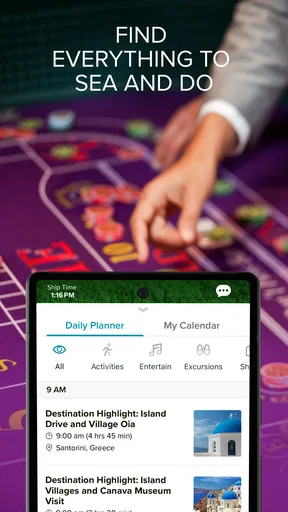
At sea, the most useful moments are often brief. You may want to check the day’s schedule before leaving your cabin, confirm where a planned activity is, or see whether your group has settled on a meeting place. Announcements and itinerary updates can also matter more than browsing features: a changed plan is useful only if you notice it in time. I’d make a habit of checking the app at natural pauses—before breakfast, after returning from shore, and before an evening reservation—instead of assuming every update will reach me at exactly the right moment.
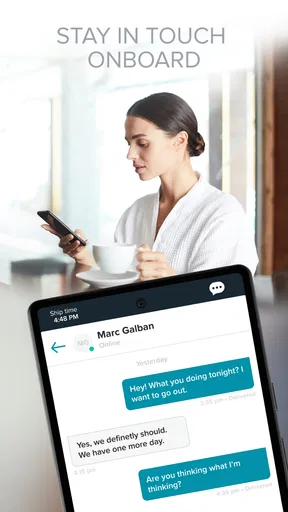
The onboard chat is described as working without a Wi-Fi plan, which is a meaningful distinction from ordinary messaging apps that depend on internet access. I would use it for simple coordination with travel companions, not as a replacement for urgent communication or a guarantee that every person in a group will be reachable. Before splitting up, agree on a fallback meeting point and time. That tiny bit of planning makes a chat tool more useful, particularly when someone’s phone is put away or they have not checked a message.
Using it while the day is in motion
A cruise day is a string of small transitions: cabin to breakfast, ship to excursion, port back to deck, then dinner or a show. The ship map can help when the immediate question is “Which way do I go?” rather than “What is the best thing to do?” I find that distinction important. A map is most valuable when you already have a destination—perhaps a dining venue or the pool—and want to avoid wandering through unfamiliar decks. It is less useful as a substitute for taking a moment to learn the ship’s layout.
For a family or a group of friends, I’d use the schedule and chat together rather than relying on a vague plan to “meet later.” One person can suggest a specific activity, while everyone checks the same daily programme and agrees on a time and place. If the group has different interests, the app can help each person make a plan without requiring everyone to spend the day together. The trade-off is that phones can become a distraction: I’d settle key details early, then put the device away and enjoy the ship.
Worth Reading Before You Choose

EA SPORTS FC Mobile 26 Is a Bigger Football Game, but It Takes Time

Flipboard Shows What News Apps Must Do Beyond the Feed

Switching to Android Auto Means Rethinking Your Driving Routine

Google Calendar Makes a Crowded Week Easier to Manage

Ludo King Makes the Most of the Minutes Between Plans

Baby Panda World Brings Quick Play to Modern Phones, but Its Game Library Feels Busy
Port days create a different test. Excursion details and reservations are handy when you are deciding how to spend limited time ashore, but I would not make the app my only source of directions or timing once away from the ship. Check the plan before disembarking, make sure your companions know the agreed return arrangements, and keep the important details accessible. That workflow reduces the risk of having to solve a small phone or connection problem while already on the move.
Planning, browsing, and onboard routines
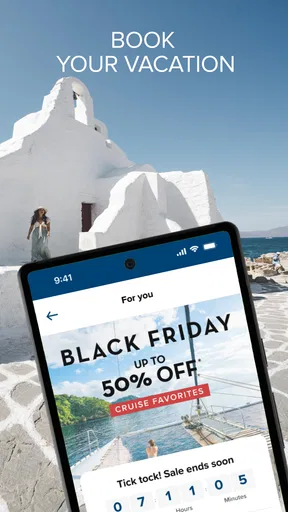
First things first, let’s talk about the ease of use. From the moment you open the app, you’re greeted with a sleek and intuitive interface. It’s like the app knows you’re on vacation and wants to make things as simple as possible. You can browse through a plethora of cruise options, each with detailed itineraries and stunning photos that make you want to pack your bags immediately.
Booking a cruise is a breeze. The app guides you through each step, from selecting the perfect itinerary to choosing your cabin. And let’s not forget the convenience of having all your reservation details stored within the app. No more flipping through emails or papers; everything you need is right at your fingertips.
Onboard Experience
Once you’re on the ship, the Celebrity Cruises app becomes your personal concierge. Want to know what’s happening on deck today? The daily schedule is just a tap away. You can even reserve spots for shows, dining, or spa treatments without leaving your sun lounger. Talk about living the dream!
Ever had that panic moment when you can’t find your way around a massive cruise ship? The app’s interactive ship map is here to save the day. Whether you’re trying to locate the nearest pool or your cabin after a night of dancing, this feature is a lifesaver.
Stay Connected, Even at Sea
One of the highlights of the app is staying connected with fellow travelers. Through the onboard chat feature, you can easily communicate with your travel companions, no Wi-Fi plan needed. It’s a fantastic way to coordinate meet-ups or just share a quick hello.
Plus, the app keeps you updated with any important announcements or changes to your itinerary. It’s like having a handy notification system that ensures you never miss a beat, even while you’re busy soaking up the sun.
For the Foodies and Adventurers
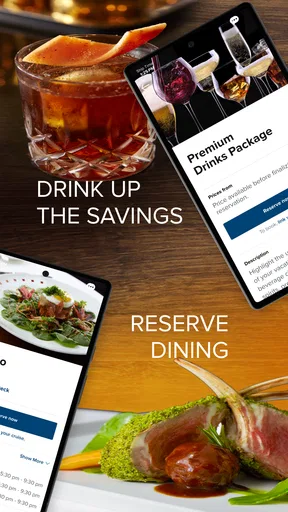
For those who live for great food, the app provides menus for each of the ship’s dining venues. You can preview what’s available and even make reservations on the go. It’s perfect for planning your culinary journey well in advance.
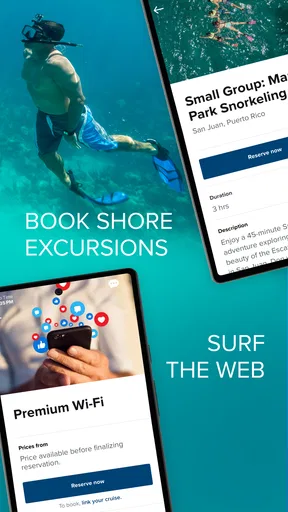
If you’re more of the adventurous type, the app offers a comprehensive list of shore excursions. From snorkeling trips to cultural tours, you can book your activities directly through the app. It’s all about maximizing your fun with minimal hassle.
Choosing what to book—and what to leave flexible
I would not try to schedule every hour just because the app makes reservations accessible. Dining, a show, or a spa appointment may be worth arranging when a particular time matters to your group, but leaving open space can make a cruise feel less like a checklist. A useful approach is to choose one or two fixed plans for a day and use the schedule to fill the gaps once you know how energetic you feel.
Menus are especially helpful as a preview rather than a promise that every meal will fit everyone’s preferences. If you are travelling with someone who needs to think carefully about food choices, checking the available menu before heading to a venue can make the decision less rushed. I would still ask staff about any important dietary concern instead of assuming an in-app menu answers every question. The app helps you prepare; it does not replace a direct conversation when the details matter.
Excursion browsing has a similar strength and limitation. It brings options into the same planning space as the sailing, which is easier than juggling unrelated searches. But the right choice depends on your own pace, comfort, and interest—not simply on how appealing an activity sounds on a screen. I’d compare the planned time ashore with the rest of the day and avoid stacking demanding activities back to back. Travelers who prefer to explore independently may find their own maps and research more flexible than booking through a cruise-focused app.
If the phone or connection lets you down
Connectivity is where I would keep expectations sensible. The onboard chat’s no-Wi-Fi-plan distinction is useful for companion coordination, but it should not lead you to assume that every part of the app works without a connection. Reservations, itinerary information, announcements, and browsing can involve different needs at different times. Before relying on a screen for a time-sensitive plan, open the relevant details while you have a dependable connection and make sure you know the essentials.
A realistic example: suppose your group returns from an excursion at different times and you want to meet for dinner. I’d check the reservation and venue details earlier, agree on a meeting point that everyone can identify, and use the onboard chat for a quick message if plans shift. If a message does not appear or a phone runs low on power, the agreed place and time still give everyone a workable fallback. That is more robust than treating a notification as the entire plan.
If something seems out of date, I would first check whether the phone has a usable connection, reopen the app, and compare the detail with any direct information from ship staff. For a booking or schedule that affects the next few minutes, asking in person is often faster than repeatedly refreshing a screen. The app is a helpful layer, not the final authority in every situation. Keeping the app updated is also sensible; the current Android release is version 1.76.2, though an update alone cannot solve a weak connection or a device that needs attention.
How it compares with other travel tools
Compared with a general travel app, Celebrity’s tool is narrower but better aligned with a Celebrity cruise. A broad planner may be stronger for combining flights, hotels, independent port research, and unrelated reservations in one place. This app’s appeal is having cruise-specific pieces—ship routines, dining, activities, and companion coordination—close together. I would use the two types side by side if my trip included substantial land travel before or after the sailing, rather than expecting one app to manage everything equally well.
It is also different from paper notes and email searches. Those can be dependable backups for a confirmation or a fixed plan, but they are less convenient for checking a daily programme or navigating a ship. My preferred balance is to use the app for things that change during the cruise and keep a separate record of the few details I would not want to lose. That avoids both extremes: relying on a single phone screen for everything, or ignoring a tool that can make onboard decisions easier.
The app is free, which makes trying it before a sailing a low-friction choice, but I would not download it expecting a universal cruise comparison service. It is most worthwhile once Celebrity is part of your plans. If you are only deciding between cruise lines, independent research and each company’s own information will give you a fairer comparison than spending time inside one operator’s app.
Who will get the most from it
I think it suits first-time cruisers who want their reservation and ship-day information in one familiar place, as well as repeat guests who prefer quick access to schedules, maps, menus, and bookings. It can also help a group with different plans stay coordinated without needing to move as one. The benefit is strongest when people actually check the app before they need an answer; downloading it at the gangway and expecting to learn every feature in a hurry is a less comfortable way to start.
On the other hand, it may not be the right tool for someone who is not sailing with Celebrity, someone who prefers to plan every port independently, or someone who wants a single app to handle an entire multi-city holiday. Travelers who dislike using a phone during a holiday can still keep their plans simple with a few notes and direct questions to staff. The app is convenient, not compulsory, and the best cruise routine is the one that helps you feel prepared without turning the trip into screen time.
Final Thoughts
In a nutshell, the Celebrity Cruises app is a must-have for anyone planning a cruise with Celebrity. It takes the stress out of organizing your trip and enhances your onboard experience in ways you didn’t even know were possible. So, if you’re ready to set sail on your next adventure, make sure this app is downloaded and ready to go. Bon voyage!
My connectivity verdict
My overall view is positive, with one practical condition: treat the app as a convenient cruise companion, not as the only place your plans exist. Its strongest role is bringing Celebrity-specific planning and onboard routines together, while the chat can help with simple coordination at sea. Checking key details ahead of time, keeping a fallback for meet-ups, and asking crew members when a time-sensitive detail is unclear are small habits that make the experience more dependable.
Celebrity Cruises is developed by Royal Caribbean Cruises Ltd. and has been available since November 29, 2017. I’d install it if I had a Celebrity sailing booked, explore the useful sections before departure, and then use it in short bursts rather than constantly checking my phone. For that specific kind of trip, it earns a place on my device; for broader travel planning, I would pair it with tools built for the rest of the journey.
Pros
- User-friendly interface with intuitive navigation.
- Comprehensive itinerary and booking options.
- Real-time updates on cruise activities.
- Easy access to dining and entertainment reservations.
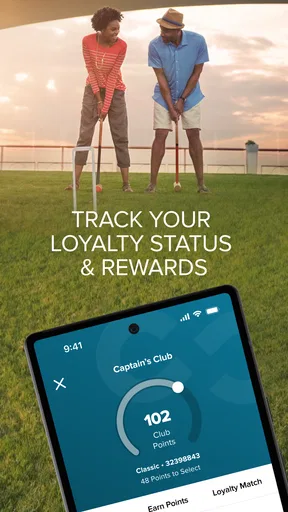
- Loyalty program integration for frequent travelers.
Cons
- Limited offline functionality; requires internet.
- Occasional slow load times during peak use.
- Notifications can be overwhelming at times.
- Some features require additional purchases.
- Not all ships have updated app compatibility.
FAQs for Celebrity Cruises
What features does the Celebrity Cruises app offer?
The Celebrity Cruises app provides a range of features designed to enhance your cruise experience. You can check in online, manage your itinerary, book shore excursions, make dining reservations, and access interactive maps. The app also offers a daily activity schedule and allows you to chat with fellow passengers and crew.
Is the Celebrity Cruises app available for both Android and iOS devices?
Yes, the Celebrity Cruises app is available for download on both Android and iOS platforms. You can find it on the Google Play Store for Android devices and the Apple App Store for iOS devices. Make sure your device meets the minimum requirements for smooth operation.
Does the app work offline during the cruise?
The Celebrity Cruises app is designed to function both online and offline. While you can access most features without an internet connection, some services, like booking excursions or chatting, require internet access. It's advisable to connect to the ship's Wi-Fi for full functionality during your trip.
How user-friendly is the Celebrity Cruises app for first-time users?
The Celebrity Cruises app is designed with user-friendliness in mind, featuring an intuitive interface and easy navigation. First-time users will find the setup process straightforward, with clear instructions for account creation and how to make the most out of its features. Support is also available if needed.
Are there any additional costs associated with using the app on board?
Downloading and using the Celebrity Cruises app is free of charge. However, to access certain features like messaging or additional content, you may need to purchase a Wi-Fi package on the ship. It's recommended to review the ship's internet plans to understand any potential charges.


